
You spend hours searching for templates that don’t look like everyone else’s work. You bookmark sites, lose track of them, and end up settling for mediocre options because you can’t remember where you saw that perfect mockup last week.
Professional designers don’t waste time scrolling through endless generic options. They know exactly where to look for templates that match their standards and save them to organized libraries they can access in seconds.
Professional designers find free templates through specialized platforms like Figma Community, Dribbble freebies, Behance, and niche libraries organized by project type. They bookmark curated collections, filter by license type, and customize templates to match brand guidelines. Smart organization and knowing which platforms offer commercial-use files separate professional workflows from amateur searches that waste hours on unusable downloads.
Platform-specific template libraries designers trust
Each design platform has its own ecosystem of free resources. Knowing which ones offer professional-grade files saves you from downloading low-resolution garbage.
Figma Community hosts thousands of design systems, UI kits, and wireframe templates. You can duplicate any file directly to your workspace and edit it immediately. The quality varies, but filtering by popularity and checking creator profiles helps you spot the good stuff fast.
Dribbble’s freebie section features work from established designers who share templates as portfolio pieces. These tend to be more polished than random downloads because reputation matters. The catch is that licensing terms vary, so always read the fine print before using files in client work.
Behance offers project files that designers upload alongside case studies. You get context for how the template was used, which helps you adapt it better. Search for “free download” or “freebie” tags, then check the project description for download links.
Adobe Express and Canva both offer free tiers with template libraries. While these platforms target non-designers, their pro-level templates work well for social media graphics and presentation decks. You can export designs and refine them in your preferred software.
GitHub hosts open-source design systems from companies like IBM, Shopify, and Atlassian. These aren’t templates in the traditional sense, but they give you production-ready components you can adapt. Perfect for UI designers who need reliable starting points.
“The best free templates come from designers who built them for real projects, then stripped out client-specific details. They solve actual problems instead of looking pretty in screenshots.” – Senior Brand Designer
How to evaluate template quality before downloading
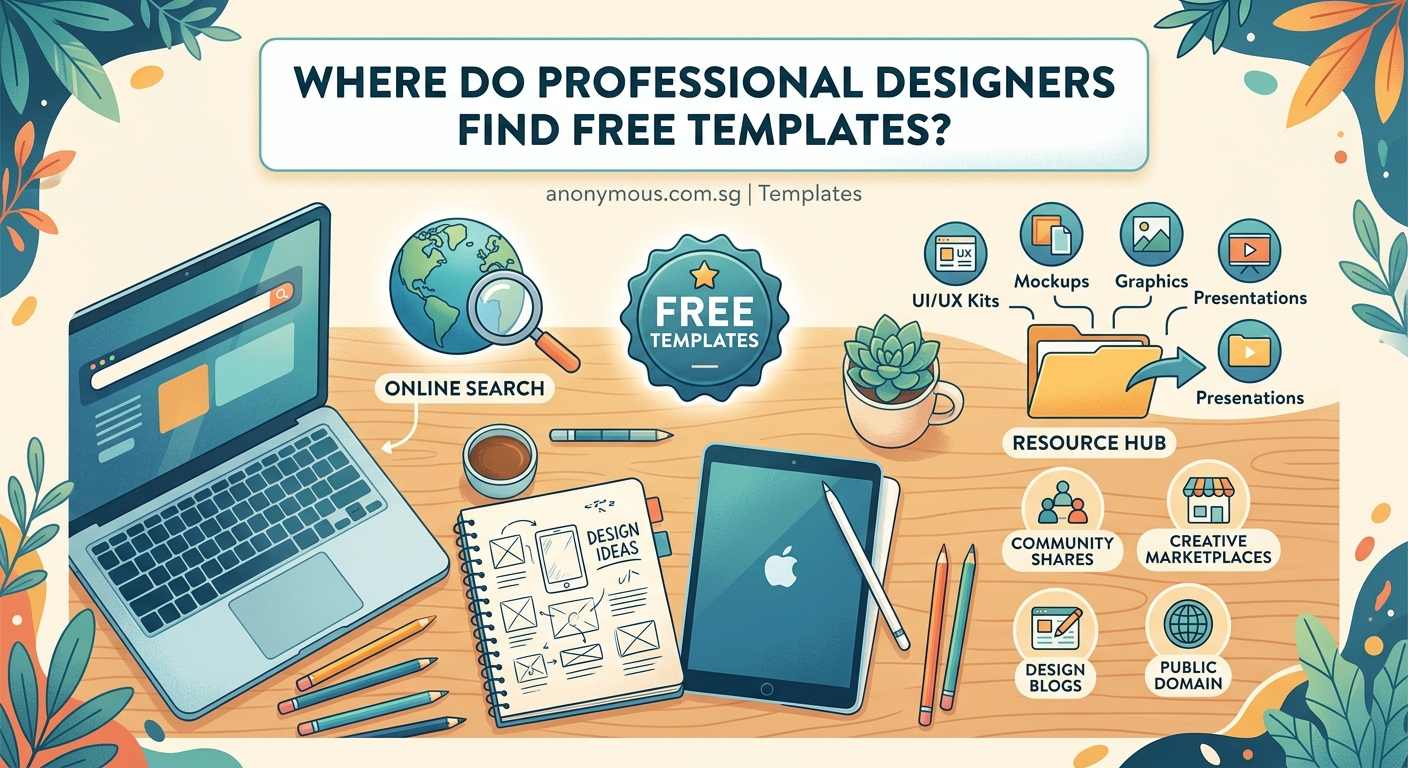
Not all free templates deserve space on your hard drive. Here’s what separates professional files from amateur junk.
Check these elements first:
- Layer organization and naming conventions
- Editable text layers versus flattened graphics
- Color styles and typography systems
- File format compatibility with your software
- Resolution appropriate for intended use
- License terms for commercial projects
Files with messy layers or unnamed groups waste more time than they save. You’ll spend 20 minutes cleaning up structure instead of customizing design.
Look for templates that use actual fonts instead of outlined text. Outlined text can’t be edited, which defeats the purpose of a template. Same goes for color palettes that aren’t saved as global swatches.
Resolution matters more than you think. A social media template at 72 DPI works fine for Instagram, but it’s useless if you need to adapt it for print. Always check dimensions before committing to a download.
Commercial licensing can be tricky. Some “free” templates only allow personal use, meaning you can’t use them for client work or sell products featuring the design. Read the license before you build a client project around a template you can’t legally use.
Building your own curated template library
Random downloads scattered across your desktop don’t help when you’re racing against a deadline. Professional designers organize templates by project type and update their libraries regularly.
Follow this system:
- Create folders by category: branding, social media, presentations, UI components, mockups, and print templates.
- Add subfolders for specific formats: Instagram posts, LinkedIn banners, business cards, app screens, email templates.
- Include a text file in each folder listing the source URL and license terms for every template.
- Delete templates you haven’t used in six months to keep your library relevant.
- Bookmark the actual platform pages instead of just downloading files, so you can check for updates.
This takes 30 minutes to set up but saves hours every month. You’ll know exactly where to find a specific template type without searching through old project folders or browser history.
Cloud storage works better than local files if you work across multiple devices. Dropbox, Google Drive, or a dedicated design asset manager keeps everything synced and accessible.
Consider creating a simple spreadsheet that tracks template names, categories, sources, and license types. When you need a specific file type, you can search the spreadsheet instead of opening folders.
Specialized sources for different design disciplines
Generic template sites rarely have what specialists need. These niche platforms cater to specific design fields.
For brand designers, Brandfolder and Brand.ai offer style guide templates and brand system frameworks. These help you structure visual identity projects consistently.
Social media designers should bookmark tools that help create engaging content and platforms like Later, Buffer, and Hootsuite that include free template packs optimized for each platform’s current dimensions.
UI and product designers get better results from dedicated component libraries. Material Design, Apple’s Human Interface Guidelines, and Microsoft’s Fluent Design all include downloadable resources. These align with platform standards, which matters for app projects.
Print designers need templates with proper bleed, color modes, and resolution settings. TemplateLab and FreePik’s print section offer business cards, brochures, and packaging templates with correct technical specs. Just verify that color modes match your output method before adapting them.
Presentation designers should check out SlidesCarnival, SlidesGo, and Google Slides’ template gallery. These offer cleaner starting points than PowerPoint’s built-in options, and you can customize them to match your brand guidelines.
Common mistakes when using free templates
Even experienced designers make these errors when working with downloaded templates.
| Mistake | Why It Happens | Better Approach |
|---|---|---|
| Using templates without customization | Deadline pressure and laziness | Change colors, fonts, and layout proportions |
| Ignoring license restrictions | Assuming “free” means “use anywhere” | Read terms before starting client work |
| Downloading too many unused files | Fear of missing out on good options | Only save templates you’ll use this month |
| Keeping outdated templates | Not reviewing your library regularly | Delete files older than one year |
| Forgetting to check resolution | Focusing on visual appeal over specs | Verify DPI and dimensions first |
The biggest mistake is treating templates as finished products instead of starting points. If you use a template exactly as downloaded, your work looks generic. Professional designers adapt templates to match project requirements and brand identity systems.
Another common error is mixing templates from different sources without adjusting for consistency. A social media template from one site and a presentation template from another might use conflicting grid systems or typography scales. You need to harmonize these elements.
Some designers hoard templates they’ll never use, thinking they might need them someday. This clutters your workspace and makes it harder to find relevant files. Be ruthless about deleting templates that don’t match your actual project types.
Advanced template hunting strategies
Once you’ve mastered the basics, these techniques help you find higher-quality resources faster.
Set up RSS feeds or email alerts for your favorite template sources. Many platforms let you follow specific creators or categories. You’ll see new releases without manual searching.
Join designer communities on Reddit, Discord, or Slack where members share template discoveries. Subreddits like r/freedesign and r/graphic_design regularly post quality freebies.
Follow individual designers on Twitter, Instagram, or LinkedIn. Many share free resources as lead magnets or portfolio pieces. You get access to their work before it becomes widely distributed.
Use advanced search operators to find templates on general sites. Try “filetype:fig” for Figma files, “filetype:sketch” for Sketch files, or “free template” plus your specific need. This surfaces files that aren’t listed on major template platforms.
Check design conference websites and event sponsors. Companies often release free template packs during major design events as marketing. These tend to be higher quality because they represent the company’s capabilities.
Look at design tool tutorials and courses. Instructors often provide free template files alongside lessons. These work well because they’re designed for teaching, which means clear structure and good documentation.
Customizing templates without making them look generic
The real skill isn’t finding templates but making them your own. Here’s how professionals transform generic files into custom-looking work.
Start by replacing all placeholder text with real content before adjusting design elements. This shows you what actually needs to change. Lorem ipsum hides layout problems that real headlines expose.
Swap the color palette completely. Even changing just the primary and accent colors makes a template feel different. Use color psychology principles to pick shades that match your project’s mood.
Replace template fonts with your brand typography or choose pairings that feel more distinctive. Font choices dramatically affect perception, so this step matters more than most designers realize.
Adjust spacing and proportions. Templates often use safe, balanced layouts. Adding more white space or tightening certain sections creates visual interest. Understanding white space principles helps you make these adjustments confidently.
Add custom graphics, icons, or illustrations that match your brand style. Even small decorative elements make a big difference in perceived originality.
Modify the grid system or alignment. If a template uses center alignment, try left-aligned text with asymmetric image placement. If it’s a three-column layout, experiment with two columns or a broken grid.
Change the hierarchy by adjusting type scales and visual weight. Make headlines bolder or lighter, increase or decrease body text size, or add more contrast between heading levels.
Organizing templates for team collaboration
Solo designers can get away with personal organization systems. Teams need shared libraries that everyone can access and update.
Use a shared cloud folder with clear naming conventions. Include the date, project type, and version number in every filename. “social-instagram-carousel-2024-v2.fig” beats “template-final-FINAL.fig” every time.
Create a team wiki or shared document that explains your template library structure. New team members should be able to find what they need without asking where files live.
Establish rules about who can add templates to the shared library. Too many contributors without quality standards leads to cluttered folders full of mediocre files.
Version control matters for templates just like code. When someone updates a template, save the old version with a date stamp instead of overwriting it. You might need to reference earlier versions for older projects.
Tag templates with metadata that describes use cases, dimensions, and software requirements. This makes searching easier when your library grows beyond a few dozen files.
Schedule quarterly reviews where the team evaluates which templates get used and which gather dust. Delete unused files and discuss what new template types would help current projects.
Legal considerations for commercial template use
Free doesn’t always mean you can use templates however you want. Understanding licensing protects you from legal problems.
Most templates fall under one of these license types: public domain, Creative Commons, personal use only, or attribution required. Each has different restrictions.
Public domain templates have no restrictions. You can modify and use them commercially without credit. These are rare but valuable when you find them.
Creative Commons licenses vary by type. CC0 is essentially public domain. CC-BY requires attribution. CC-BY-NC prohibits commercial use. CC-BY-ND prevents modifications. Always check which specific CC license applies.
Personal use licenses mean you can use the template for your own projects but not client work. This includes most Canva free tier templates and many font files.
Attribution requirements mean you must credit the original creator. This works fine for some projects but looks unprofessional on client deliverables. Better to find templates that don’t require credit or pay for a commercial license.
Some templates prohibit redistribution, meaning you can’t share the template file itself even if you can use it in your work. This matters if you’re creating your own template library to sell.
When in doubt, contact the creator directly. Most designers appreciate the question and will clarify usage rights. Getting written permission protects you if questions arise later.
Maintaining template quality standards over time
Your needs change as you gain experience and take on different project types. Your template library should evolve too.
Review your saved templates every three months. Delete files you haven’t opened since the last review. They’re taking up mental space even if you ignore them.
Update templates when platforms change dimensions or requirements. Instagram’s image sizes shift, presentation software adds new features, and design trends make certain styles look dated.
Replace basic templates with more sophisticated versions as your skills improve. That simple business card template that helped you learn might not match your current standards.
Track which templates you actually use versus which ones seemed useful when you saved them. If you’ve never opened a template category in six months, you probably don’t need it.
Add notes to your template files about what works well and what needs adjustment. Future you will appreciate knowing that “this template’s text layers are flattened” or “color swatches aren’t global.”
Build your own templates from successful projects. When you create something that works well, save a blank version for future use. Your custom templates will always fit your workflow better than downloaded ones.
Finding templates that match your design style
Generic templates serve general purposes, but specialized work requires resources that align with your aesthetic.
Study designers whose style matches your goals. Check their portfolios for free resources or template packs. You’ll find files that feel cohesive with work you admire.
Look for templates from the same creator or studio. Individual designers have consistent styles across their free resources. If you like one template from a creator, check their other offerings.
Filter by visual style tags when platforms offer them. Search “minimalist,” “bold,” “vintage,” or “editorial” depending on your project needs. This narrows results faster than browsing everything.
Save templates that need minor adjustments rather than complete overhauls. A template that’s 80% right takes less time to customize than starting from scratch, but a template that’s only 30% right wastes more time than building from nothing.
Create mood boards before searching for templates. Knowing exactly what you want makes it easier to spot relevant options. You’ll scroll past dozens of mediocre files to find the few that actually match your vision.
Consider paying for premium templates occasionally. A $15 template that perfectly matches your style beats hours spent searching for an adequate free option. Professional designers balance free resources with strategic purchases.
Your template library is a living resource
The designers who get the most value from free templates treat their libraries like gardens that need regular care. They add new finds, remove dead weight, and organize everything so the right resource appears exactly when needed.
Start building your curated collection today. Pick three platforms from this guide, spend 30 minutes browsing each one, and save five templates you’d actually use this month. Set a calendar reminder to review your library in three months. Your future self will thank you when that urgent project lands and you know exactly where to find the perfect starting point.
