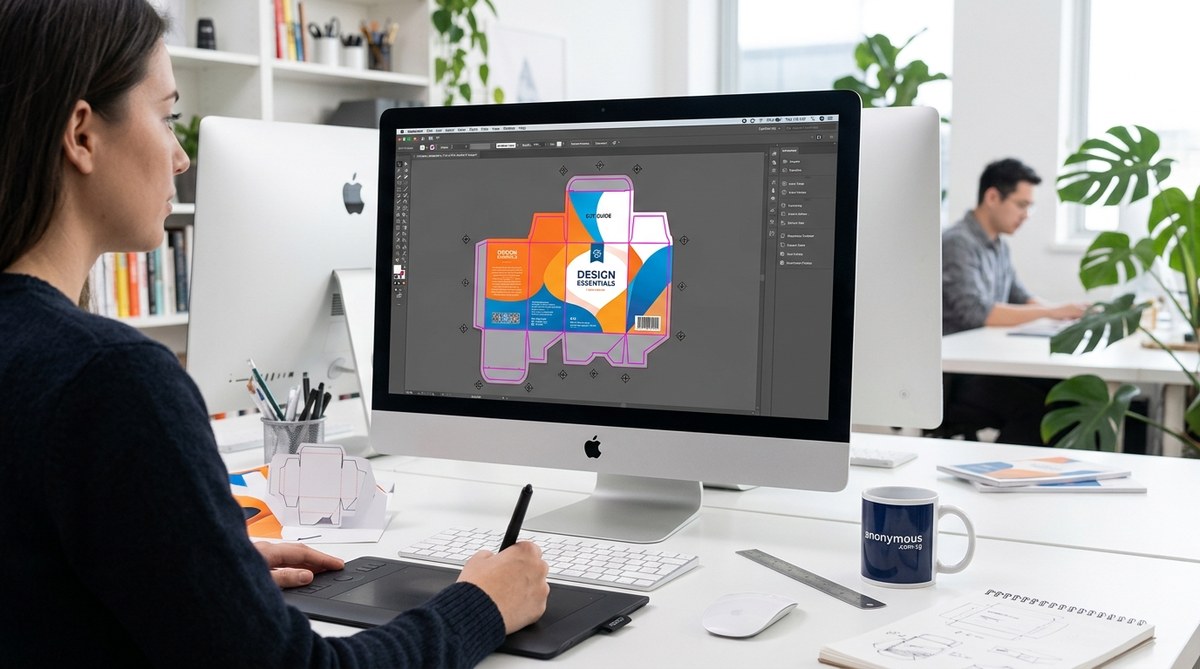
Creating print-ready designs requires more than just good artwork. The accuracy of dielines and cutting paths can make or break your project. Whether you’re developing packaging, labels, or marketing materials, understanding how to set up these elements ensures your final product matches your vision perfectly. This guide walks you through the essentials, practical steps, and common mistakes to help you craft clean, professional dielines that print flawlessly.
Understanding what dielines and cutting paths are in print design
Dielines and cutting paths are the blueprint for how your design will be physically cut, folded, or perforated. A dieline is a vector outline that indicates where the material should be cut or folded. Cutting paths are specific vectors that guide the cutting machine. They serve as critical guide layers that tell the printer and the die-cutter exactly where to trim the print.
In essence, a dieline acts like a map for your final product. It includes lines for cuts, folds, perforations, and safe zones. Proper setup guarantees your artwork aligns perfectly during production, avoids white edges, and ensures the product’s structural integrity.
Why precise dielines and cutting paths matter
Creating accurate dielines prevents costly mistakes like misaligned cuts or unintended creases. It also streamlines communication between designers and manufacturers. When your dielines are clear and correct, it reduces the risk of rejected files or delays.
Here are some reasons why paying attention to dielines and cutting paths for print is vital:
- Ensures accurate structure and layout – The final product folds and cuts as intended.
- Prevents printing misalignment – Proper dielines guide the printer to produce sharp, clean edges.
- Speeds up die-cutting and assembly – Clear paths help die-cutters perform efficiently.
- Facilitates quality control – Consistent dielines reduce errors.
- Improves communication with manufacturers – Clear files minimize misunderstandings.
How to set up dielines and cutting paths step-by-step
Follow these practical steps to prepare your print files with precise dielines and cutting paths:
- Define your project and specifications
Start by understanding the final product. Measure your packaging or print piece carefully, including all fold lines, bleed, and safe margins. Decide on the type of cut you need—straight, curved, perforated, or creased.
- Use suitable software tools
Vector-based programs like Adobe Illustrator, Inkscape, or CorelDRAW are industry standards. They allow you to create clean, scalable lines. Create a separate layer for dielines to keep them distinct from artwork. Use consistent stroke weights, typically 0.25 pt or 0.5 pt, for clarity.
- Create all necessary lines and markers
Include all cut lines, fold lines, perforations, and bleed areas. Remember to:
- Use solid lines for cuts
- Use dashed or dotted lines for folds or perforations
- Mark registration marks and crop marks
-
Add safe zones to prevent artwork from getting cut off
-
Ensure proper line order and color coding
Assign different colors or stroke styles to different line types. For example, red for cut lines, blue for fold lines. This helps manufacturers identify and process each line correctly.
- Double-check measurements and line placement
Use the software’s measurement tools. Verify that all lines are in the correct positions relative to your artwork. Check that fold lines align with intended fold points.
- Test your dieline with a prototype
Print your design on a standard printer, including the dieline layer. Cut along the lines manually or with a craft knife to see if everything aligns. Adjust as needed.
- Save in production-friendly formats
Export your file as a PDF or EPS with all layers intact. Embed fonts and convert text to outlines if possible. Include bleed and crop marks. Communicate with your printer for specific file requirements.
Common techniques for creating effective dielines
| Technique | Best Practice | Common Mistakes |
|---|---|---|
| Use vector paths | Keep lines clean and scalable | Using raster images for dielines |
| Maintain consistent stroke widths | Helps differentiate line types | Varying line thicknesses causing confusion |
| Color code lines | Facilitates easy identification | Not assigning distinct colors |
| Include bleed zones | Prevents white edges | Omitting bleed area |
| Add registration marks | Ensures proper alignment | Forgetting registration marks |
| Keep all lines on separate layers | Organizes the file | Mixing artwork and dielines |
| Test with physical prototypes | Checks real-world fit | Skipping test cuts |
Expert tip: Always communicate clearly with your printer about their preferred file setup and dieline specifications. It saves time and avoids costly rework.
Mistakes to avoid when designing dielines and cutting paths
| Mistake | Impact | How to avoid it |
|---|---|---|
| Not adding bleed | White edges or cut-off artwork | Include at least 3mm bleed around the design |
| Overlapping lines | Confuses cutting machine | Keep dieline lines separate and avoid overlaps |
| Using raster images for dielines | Loss of precision | Switch to vector paths for all lines |
| Ignoring fold lines | Improper folding | Clearly distinguish fold lines with dashed styles |
| Incorrect line colors | Misinterpretation | Use standard color coding and communicate expectations |
| Not testing the dieline | Unexpected fit issues | Always print and cut a prototype |
Checking your dieline before sending to print
Before submitting your files, perform a preflight check:
- Verify all lines are vector and on correct layers
- Confirm line colors and styles match manufacturer guidelines
- Ensure bleed zones are included
- Check measurements with a ruler tool
- Print a test sheet and manually cut to confirm alignment
- Remove unnecessary elements or hidden layers to avoid confusion
Final thoughts on creating flawless dielines and cutting paths
Designing dielines and cutting paths for print is a vital skill that enhances your professionalism and ensures your projects look just as you envision. Take the time to plan, create with precision, and test your files thoroughly. Good communication with your manufacturer is equally important. When done well, your print pieces will stand out for their quality and accuracy, making your clients happy and your reputation stronger.
Putting your dielines into action
Now that you understand the essentials, craft your dielines with confidence. Use clear, consistent lines, and always test your setup. Remember, a well-prepared dieline reduces production errors and accelerates the process. Happy designing and printing!
