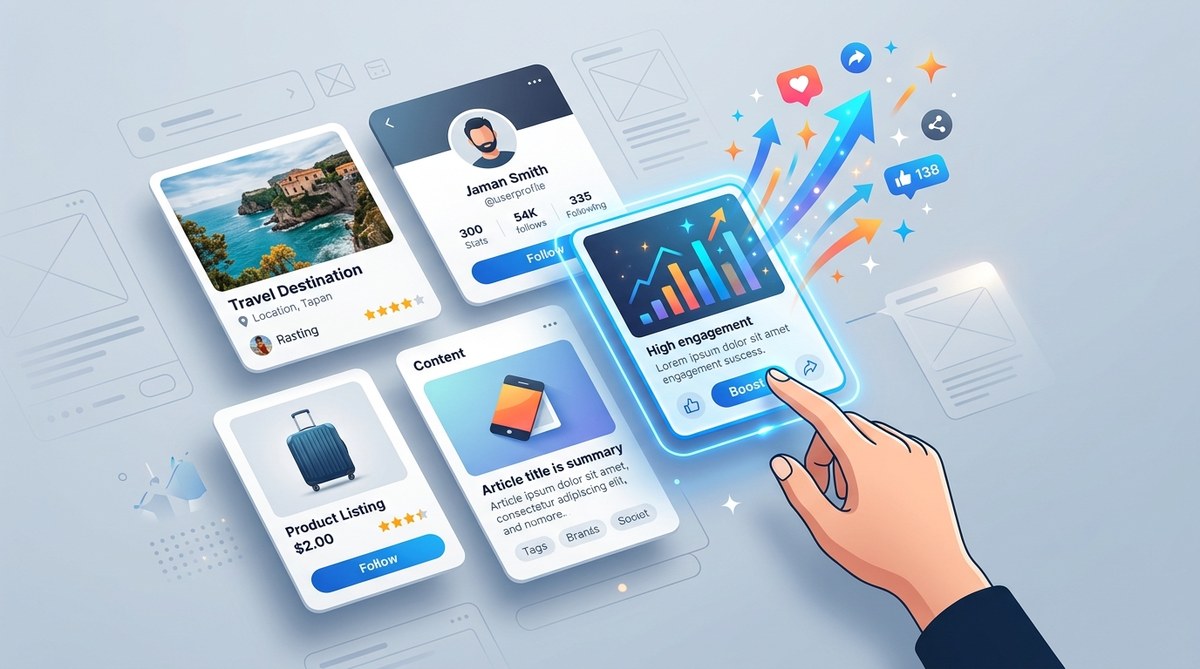
Creating effective UI cards can transform how users interact with your digital product. They are more than just visual containers; they are powerful tools to organize information, guide user actions, and foster engagement. Success lies in understanding the core principles that make a card not only attractive but also functional and accessible. Whether designing a product dashboard, a mobile app, or a website element, applying these UI card design best practices will help you craft interfaces that users love to explore and interact with.
Effective UI cards are focused, visually clear, and accessible. Implementing consistent spacing, clear hierarchy, and interactive cues encourages user engagement and improves overall experience.
Understanding The Role Of UI Cards In User Engagement
UI cards serve as modular units that present content in digestible, visually distinct blocks. They are popular because they help organize complex information into manageable chunks. For users, well-designed cards make it easier to scan, understand, and act on information without feeling overwhelmed. For designers and product managers, they offer flexibility to create adaptable, responsive interfaces.
The key to boosting user engagement through card design hinges on balancing aesthetics with usability. When cards are visually pleasing and intuitive to interact with, users are more likely to spend time exploring your platform, clicking through content, and returning for more.
Core Principles For Effective UI Card Design
1. Focus on single, clear purpose
Each card should have one main goal. Whether it’s showcasing a product, summarizing a blog post, or prompting an action, keep the content focused. Avoid cluttering cards with multiple calls to action or unrelated information.
2. Organize information for clarity
Use visual hierarchy and grouping to guide the eye. Highlight the most important information first. Use headings, subheadings, and labels to clearly differentiate content sections.
3. Use consistent spacing and alignment
Proper spacing ensures that each element has room to breathe. Consistent alignment fosters a clean, professional look. Avoid cramming content or leaving uneven gaps, which can confuse or frustrate users.
4. Incorporate interactive cues
Design cards to look clickable or tappable. Use subtle shadows, hover effects, or visual changes on interaction. These cues tell users where they can engage and what actions are available.
5. Make the entire card actionable
Where appropriate, consider making the whole card a link. This reduces friction for users who want to explore more. Use clear visual indicators like cursor changes or shadows to reinforce interactivity.
6. Prioritize responsiveness and accessibility
Ensure cards look good on all devices. Use flexible grids and scalable images. Pay attention to color contrast and font sizes to support users with visual impairments.
7. Use visual elements wisely
Images, icons, and illustrations should support content, not distract. Use them to add context or visual interest while maintaining a balanced layout.
Practical Process to Design Engaging UI Cards
Designing effective UI cards isn’t just about aesthetics. Follow this step-by-step process:
- Define the purpose of each card. What action or information should it communicate?
- Sketch a layout that emphasizes the main content. Use wireframes to plan spacing and hierarchy.
- Choose visual elements that support clarity. Select fonts, colors, and images that align with your brand and improve readability.
- Implement interactive states like hover, focus, and active. Make sure users understand what is clickable.
- Test responsiveness across devices. Adjust grid and element sizes to ensure usability on desktops, tablets, and smartphones.
- Review accessibility by checking color contrast, font sizes, and keyboard navigation.
- Iterate based on feedback and analytics. Observe how users interact with your cards and refine accordingly.
Common Techniques And Pitfalls In UI Card Design
| Technique | What it achieves | Common mistake |
|---|---|---|
| Consistent spacing | Clear visual structure | Overcrowding or uneven margins |
| Clear visual hierarchy | Easy scanning | Using similar font sizes for all content |
| Interactive hover effects | Encourages clicking | Overusing effects that distract |
| Responsive grids | Works on all screens | Fixed widths that break on smaller devices |
| Accessible color contrast | Supports all users | Low contrast text or icons |
| Balanced imagery | Adds visual interest | Using irrelevant or overwhelming images |
An expert once said, “Designing a UI card is like crafting a mini-experience. Focus on clarity, interactivity, and consistency, and users will naturally engage more.”
Enhancing User Interaction With Smart Card Design
To truly boost engagement, go beyond basic layouts. Consider the following tips:
- Use progressive disclosure to show only necessary information initially, with options to expand.
- Incorporate micro-interactions like animations or subtle movements to provide feedback.
- Use visual cues such as arrows or icons that suggest further actions or details.
- Maintain uniformity in style across all cards to reinforce familiarity.
- Apply A/B testing to compare different layouts, content arrangements, or visual styles in real user scenarios.
Inspiration and Templates To Jumpstart Your Designs
Looking for creative ideas? Check out platforms like Mobbin for real-world UI examples or browse design systems for templates you can adapt. Templates can serve as a solid foundation, but always tailor designs to your specific audience and content.
Future Trends In UI Card Design
As devices and user expectations evolve, so will card design. Future trends include:
- Immersive, interactive cards with embedded media and motion
- Personalized content driven by user data
- Minimalist layouts that focus on essential information
- AI-powered design suggestions for optimal layout and content
- Accessibility-first approaches as standard practice
Staying ahead means incorporating flexibility and responsiveness into your card design strategies.
Wrapping Up Your Card Design Journey
Creating UI cards that truly engage users requires attention to detail, usability, and consistency. By applying these best practices, your interface will become more inviting and easier to navigate. Remember, design is a continuous process. Gather user feedback, observe interactions, and refine your cards to suit evolving needs. With a thoughtful approach, your interface can foster stronger connections and higher user satisfaction.
Final thoughts: Apply these principles today
Start small by redesigning a few key cards in your project. Focus on clarity, focus, and interactivity. Over time, these thoughtful enhancements will make a noticeable difference in how users experience your platform. Good design is about making every interaction meaningful. Keep experimenting, and your efforts will pay off in increased engagement and loyalty.
