You don’t need a five-figure budget or design school credentials to look professional. You need a brand kit that works, and you need it to come together without eating up your entire week.
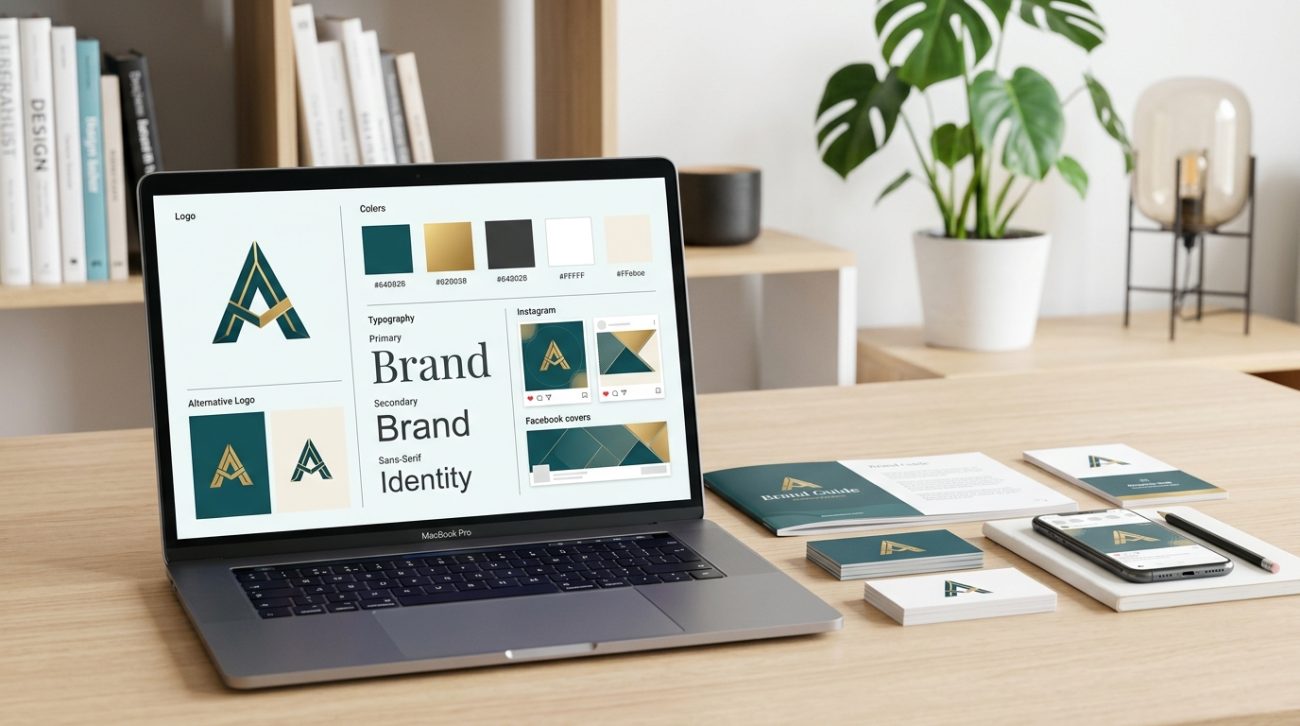
A brand kit is your visual rulebook. It’s the collection of colors, fonts, logos, and layout guidelines that make everything you publish look like it came from the same business. When you have one, your Instagram posts match your website. Your email signature doesn’t clash with your business cards. People recognize your work before they even read your name.
The best part? Free brand kit templates give you the structure. You just fill in your own details.
Free brand kit templates provide pre-built frameworks containing logo layouts, [color palettes](https://en.wikipedia.org/wiki/Color_scheme), typography systems, and asset guidelines. They let small business owners build professional visual identities in hours instead of weeks. Download editable templates, customize core elements like colors and fonts, then apply your brand consistently across all platforms without design experience or expensive software.
What a brand kit actually includes
A complete brand kit contains more than just a logo file.
Most templates include these core elements:
- Logo files in multiple formats and color variations
- Primary and secondary color palettes with hex codes
- Font pairings for headings, body text, and accents
- Layout grids for social media posts
- Business card and letterhead templates
- Icon sets that match your visual style
- Usage guidelines showing what not to do
The templates handle the spatial relationships and proportions. You handle the customization.
Think of it like a recipe. The template tells you what ingredients you need and in what order to combine them. You pick the specific flavors.
Where to find free brand kit templates worth using
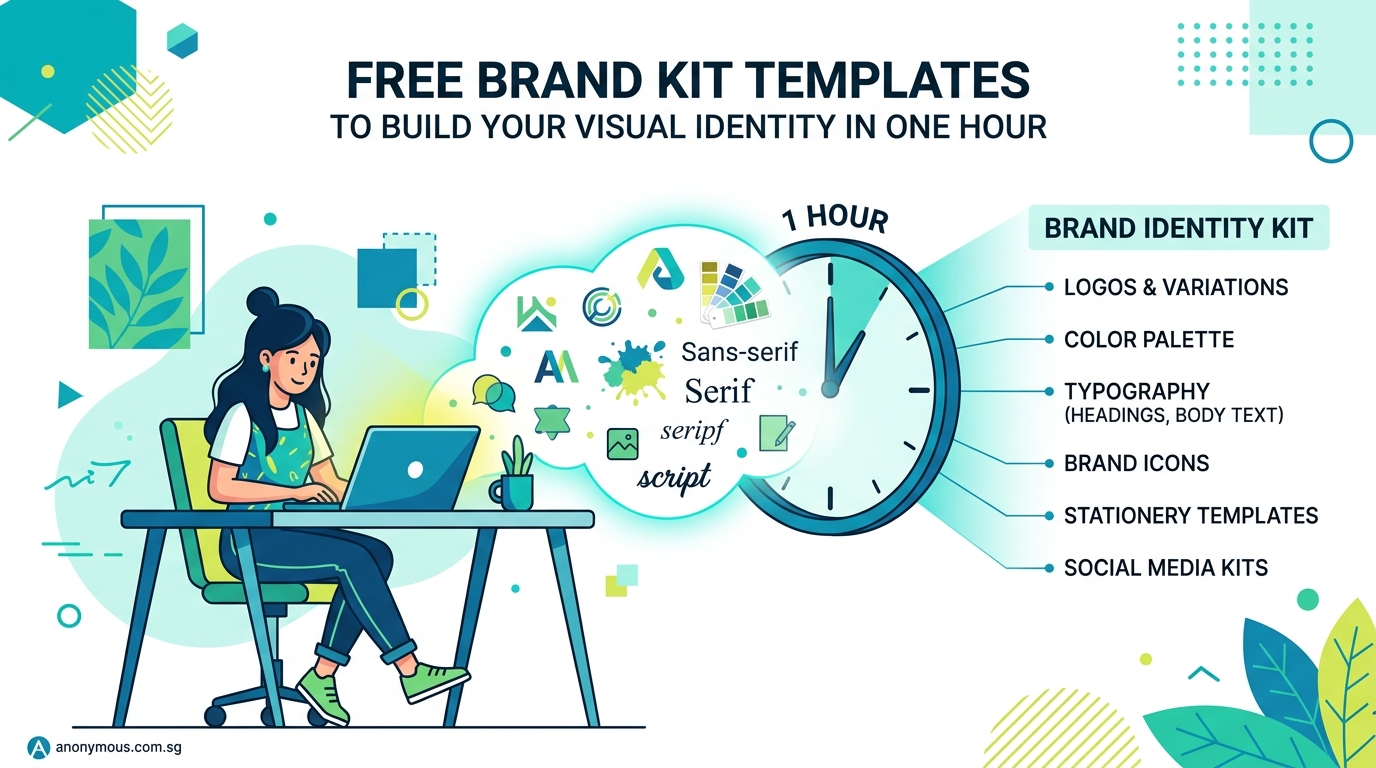
Not all free templates are created equal. Some look dated the moment you open them. Others require proprietary software you don’t own.
Start with platforms that offer editable files:
Figma Community hosts thousands of brand kit templates you can duplicate and edit in your browser. No software installation required. Look for kits with high view counts and recent updates.
Canva provides brand kit templates inside their free tier. The interface is beginner-friendly, though you’ll see occasional prompts to upgrade for premium elements.
Google Slides templates work well if you need something that opens anywhere. Search for “brand guidelines template” and filter by free options.
Behance showcases designer portfolios, and many creators offer free starter kits as lead magnets. Download the files, read the license terms, and customize.
The how to customize free design templates without looking generic guide covers the next steps once you’ve downloaded a template.
How to customize your template in the right order
Random edits create chaos. Follow this sequence instead.
1. Start with your logo
Your logo anchors everything else. If you don’t have one yet, use a simple wordmark with a clean font. You can always refine it later.
Place your logo in all the designated spots within the template. This shows you how it performs at different sizes.
2. Define your color palette
Pick three to five colors maximum. Most templates suggest:
- One primary brand color
- One secondary color for contrast
- Two or three neutral shades for backgrounds and text
Use an online color picker to grab hex codes from photos, competitors, or inspiration boards. Replace the template’s placeholder colors with yours.
The how to choose brand colors that actually convert customers article explains the psychology behind different color choices.
3. Select your fonts
Choose two fonts. One for headlines, one for body text.
Free options like Google Fonts work perfectly. Pair a bold, distinctive font for headings with a clean, readable font for paragraphs.
Replace every instance of the template’s fonts with your chosen pair. Make sure they’re readable at small sizes.
4. Adjust spacing and layouts
Templates come with preset margins, padding, and grid systems. These usually work fine as-is, but adjust them if your logo or text feels cramped.
Keep consistent spacing across all your assets. If your Instagram posts have 40px padding, your Facebook graphics should too.
5. Add your brand voice guidelines
Most templates include a section for tone and messaging. Write down three to five words that describe how you want to sound.
Are you friendly and casual? Professional and precise? Playful and irreverent?
These words guide every caption, email, and product description you write.
Common mistakes that make templates look generic
Even great templates fail when you make these errors:
| Mistake | Why it happens | How to fix it |
|---|---|---|
| Using default template colors unchanged | You skip customization to save time | Replace at least the primary color with something unique to you |
| Mixing too many fonts | You want variety but create chaos | Stick to two fonts maximum across all materials |
| Ignoring white space | You try to fill every corner | Let elements breathe with generous margins |
| Inconsistent logo sizing | You eyeball it differently each time | Set specific size rules and follow them |
| Skipping the style guide section | You think you’ll remember your choices | Document everything so you stay consistent |
The 5 common branding mistakes that make your business look unprofessional guide covers these pitfalls in more detail.
Building your template library step by step
One brand kit template is a start. A full library makes daily work effortless.
-
Download your core brand kit template first. This becomes your master reference file.
-
Create platform-specific templates next. Build one Instagram post template, one Facebook cover template, one email signature template. Base all of them on your core kit.
-
Add templates as you need them. Don’t try to create every possible asset upfront. When you need a presentation, create a slide template. When you plan an event, build a flyer template.
-
Store everything in one folder. Name files clearly. “Brand_Kit_Master.fig” beats “Untitled_Final_v3.fig” every time.
-
Update your library when your brand evolves. Businesses change. Your visual identity should too. When you refine your logo or adjust your colors, update every template in one session.
“A brand kit isn’t something you create once and forget. It’s a living system that grows with your business. The template gives you the foundation. Your consistency over time gives it power.” — Working designer with 12 years of client experience
Applying your brand kit across different platforms
Templates work when you actually use them.
For social media: Create master templates for each post type you publish regularly. Quote graphics, product photos, announcement posts, and behind-the-scenes content each get their own layout.
For print materials: Business cards, flyers, and brochures need higher resolution than screen graphics. Export your brand colors in CMYK values, not just RGB. The cmyk vs rgb when to use each color mode for print projects resource explains this distinction.
For your website: Use your brand fonts as web fonts. Apply your color palette to buttons, headers, and backgrounds. Match the spacing system from your templates.
For presentations: Slide decks represent your business to clients and partners. Apply your brand kit to every slide master so new presentations stay on brand automatically.
The how to maintain brand consistency across multiple platforms without losing your mind guide shows how to manage this without burning out.
What to do when you outgrow free templates
Free templates work beautifully for startups and solopreneurs. Eventually, you might need more.
Signs you’ve outgrown your current setup:
- You need custom illustrations that match your brand
- Your template doesn’t include assets for new platforms you’re using
- You’re spending too much time adapting the template for special projects
- Your business has grown and you want something completely unique
At that point, consider hiring a designer to build a custom brand system. But keep using your free template as a reference. It shows the designer what’s working and what needs improvement.
Many businesses run successfully on free brand kit templates for years. Others use them as placeholders while they save for custom work. Both approaches work.
Tools that make template customization easier
You don’t need expensive software to work with most free brand kit templates.
Figma is free for individuals and lets you edit sophisticated design files in your browser. It’s become the industry standard for a reason.
Canva works well for simpler templates and offers drag-and-drop editing. The learning curve is gentle.
Adobe Express (formerly Adobe Spark) provides free access to basic editing tools. It integrates with other Adobe products if you later subscribe.
Inkscape is free, open-source software for vector editing. It has a steeper learning curve but handles professional file formats.
GIMP offers free photo editing when you need to adjust images before adding them to your templates.
Pick one tool and learn it thoroughly rather than jumping between platforms. Mastery beats variety.
Creating guidelines so you actually follow your own system
A brand kit template without usage rules becomes decoration.
Write down these guidelines inside your template file:
- Minimum logo sizes for different uses
- Which color combinations to avoid
- How much space to leave around your logo
- Which font weights to use where
- Approved and prohibited background treatments
The how to build a brand style guide that actually gets used article walks through this process in depth.
Make your guidelines specific. “Keep the logo readable” is vague. “Never display the logo smaller than 100px wide on screen or 1 inch wide in print” is actionable.
Share these guidelines with anyone who creates content for your business. Freelancers, team members, and contractors all need access to your brand kit and its rules.
Maintaining consistency without becoming rigid
Brand consistency doesn’t mean creative death.
Your templates provide guardrails, not prison walls. Stay consistent with your core elements (logo, colors, fonts) while experimenting with layout, imagery, and messaging.
Seasonal campaigns can use different photo styles. Product launches can feature bolder typography treatments. Event promotions can incorporate special graphics.
The key is keeping your foundational brand elements recognizable while adapting the surrounding design to fit the context.
Think of it like wearing a uniform. The uniform stays the same, but you can change your accessories, hairstyle, and expression.
When to update your brand kit template
Visual identities need refreshes, but not constantly.
Consider updating your brand kit when:
- Your business has pivoted to serve a different audience
- Your original logo or colors feel dated after several years
- You’ve added new product lines that don’t fit your current aesthetic
- Customer feedback suggests your branding doesn’t match your service quality
- You’re rebranding after a merger or major business change
Don’t update just because you’re bored. Consistency builds recognition. Recognition builds trust. Trust builds revenue.
The when should you rebrand 6 clear signs its time for a visual identity refresh guide helps you decide if it’s actually time for a change.
Free templates that solve specific business needs
Different businesses need different assets.
Service providers need professional proposal templates, email signatures, and Zoom backgrounds that establish credibility.
Product sellers need packaging mockups, product photography templates, and social media templates optimized for showing merchandise.
Content creators need YouTube thumbnails, podcast cover art, and blog post graphics that maintain visual consistency across platforms.
Event organizers need ticket designs, program layouts, and promotional graphics that build excitement.
Choose templates built for your specific industry when possible. A restaurant brand kit includes menu templates. A coaching brand kit includes workbook layouts. Generic templates work, but specialized ones work better.
Testing your brand kit before going all-in
Don’t redesign everything at once.
Test your new brand kit on a small scale first:
- Create three social media posts using your new templates
- Design one email newsletter with your new colors and fonts
- Print one business card to check how colors look on paper
- Share your new branded content with trusted friends or customers
Gather feedback. Does your logo read clearly at small sizes? Do your colors look good on different screens? Does your overall aesthetic match your business personality?
Make adjustments based on real-world performance, not just how things look in your design file.
The 10 free tools to test your logo design before launch resource helps you catch problems early.
Building a brand system, not just a collection of templates
Templates are tools. Systems are strategies.
A brand system includes your templates plus the logic behind them. Why did you choose these colors? What feeling should your fonts convey? How does your visual style reflect your business values?
Document these decisions. Future you will forget. New team members won’t know. Clients will ask questions.
Your brand kit template holds the visual elements. Your brand system explains why those elements matter and how to use them strategically.
The why your small business needs a brand system not just a logo article breaks down this important distinction.
Your brand kit starts today, not someday
Perfect branding doesn’t exist. Consistent branding does.
Download a template. Customize the basics. Start using it. Refine as you go.
Your first version won’t be your final version. That’s fine. A decent brand kit you actually use beats a perfect one you never finish.
Your business deserves to look professional. Free brand kit templates give you the structure to make that happen without draining your budget or your calendar. Pick one, personalize it, and put it to work.
