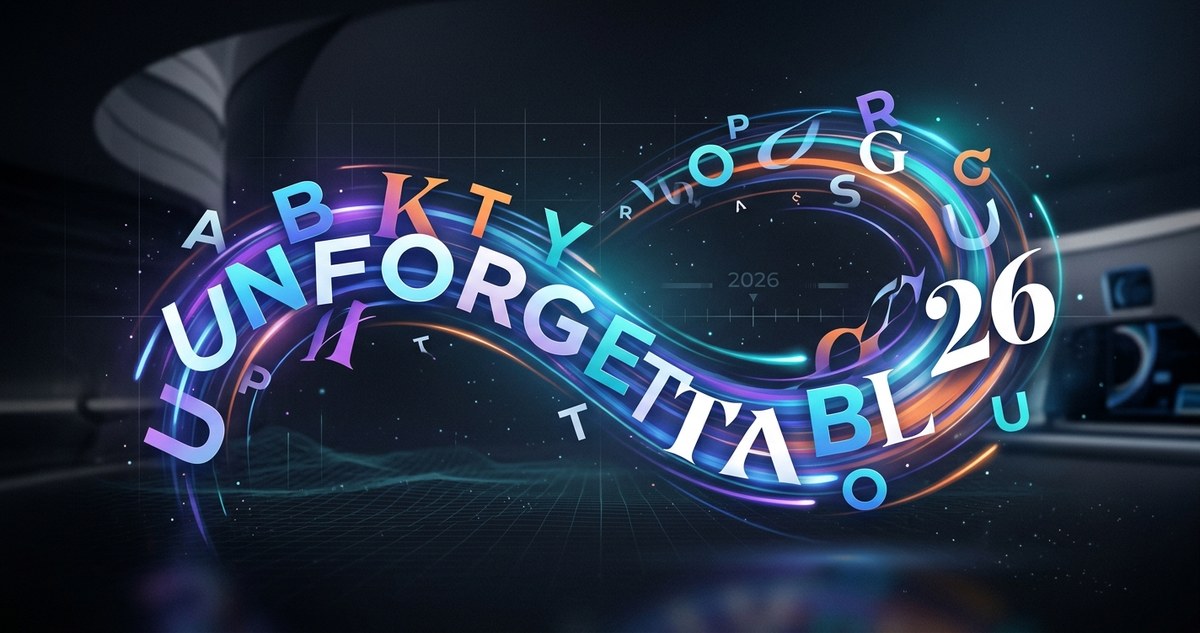
Attention spans are shorter than ever in 2026. Static text blends into the background noise of social feeds, websites, and advertisements. But words that move? They stop the scroll. They grab attention. They stick in memory longer than any static block of copy ever could. Kinetic typography is not a new concept. You have seen it in movie title sequences, music videos, and explainer videos for years. But this year, something shifted. The technology got smoother. The tools became more accessible. And brands started using motion typography not as a gimmick, but as a core part of their identity. If you want your brand to feel alive in 2026, moving text is one of the most effective ways to make that happen.
Kinetic typography in 2026 is about strategic motion that reinforces your brand identity, not decoration. The top trends include micro-animations on scroll, variable font transitions, text that responds to user input, and cinematic title sequences for short-form video. To use them well, match the motion to your brand personality, prioritize readability, and test on mobile first. When done right, moving text can boost recall by up to 40 percent compared to static alternatives.
What Makes Kinetic Typography Different in 2026
The difference this year is subtle but important. In the past, animated text was often an afterthought. Designers would build a static layout and then add motion effects at the end. That approach is fading. In 2026, the best designers are thinking about motion from the very first sketch. They are asking: how does this word enter the screen? How does it leave? What happens when someone scrolls past it? How does it respond to a hover or a click?
This shift is driven by three things. First, browser support for CSS animations and JavaScript motion libraries is now universal. You do not need a plugin or a heavy video file to make text move on the web. Second, tools like Figma, After Effects, and Rive have made motion design faster to prototype and hand off. Third, audiences have been trained by TikTok, Instagram Reels, and YouTube Shorts to expect movement. If your text sits still, it feels like a missed opportunity.
The Top Kinetic Typography Trends Shaping 2026
Here are the motion text trends that marketing professionals and brand managers should have on their radar this year.
-
Micro-animations triggered by scroll. Words do not need to fly across the screen to be effective. Small, subtle movements like a gentle fade-in, a slight upward drift, or a letter-spacing expansion can make a headline feel intentional. These micro-animations reward the user for scrolling without being distracting. They work especially well on landing pages and blog headers.
-
Variable font transitions. Variable fonts are a gift to kinetic typography. Because a single font file contains multiple weights, widths, and slants, you can animate the font itself. Imagine a headline that starts thin and light, then becomes bold and heavy as the user scrolls down the page. The typography feels alive because the letterforms are changing, not just moving. This trend is huge in 2026.
-
Text that responds to user input. Hover states are getting more creative. When someone moves their cursor over a word, that word might stretch, change color, or reveal a hidden second meaning. On touch devices, tapping a phrase could trigger a subtle bounce or a size shift. This kind of interactive typography turns reading into a conversation.
-
Cinematic title sequences for short-form video. Brands are borrowing techniques from film and television. A 15-second Instagram Reel might open with a logo that flies apart into individual letters, each one spinning into place. Or a TikTok ad might use staggered text entries where each word appears in rhythm with the audio. These sequences feel premium and polished, and they work well within the fast pace of social media.
-
Kinetic typography in email headers. Email is a surprising but effective place for moving text. Animated GIF headers in email newsletters can include a slogan that reveals itself word by word, or a call-to-action that pulses gently. Open rates for emails with animated headers tend to be higher, because the movement catches the eye even in a crowded inbox.
Where to Add Motion to Your Brand System
Adding motion to your brand does not mean animating every piece of text you own. That would be chaotic. Instead, focus on specific touchpoints where movement has the most impact.
- Hero headlines on your website. The first thing a visitor reads should arrive with purpose. A subtle entrance animation for your main headline sets the tone for the entire experience.
- Call-to-action buttons. A slight pulse or color shift on your CTA text can increase click-through rates. The motion signals that this element is interactive.
- Social media quote cards. Instead of a static image with text overlay, try a short video clip where the quote types itself out letter by letter. These perform well on platforms that favor native video.
- Logo lockups and wordmarks. An animated logo that reveals its typography on page load feels professional and memorable. This is especially popular in tech and creative industries.
- Product feature highlights. When explaining a complex benefit, use kinetic typography to pace the reader. Show one key phrase at a time, letting each one sink in before the next appears.
Techniques Versus Mistakes: A Handy Reference
Not all kinetic typography is good kinetic typography. The difference between a memorable brand moment and a frustrating user experience often comes down to a few key choices.
| Technique | What It Looks Like | Common Mistake | Why It Hurts Your Brand |
|---|---|---|---|
| Entrance animation | Text fades in or slides up as user scrolls | Text flies in from off-screen at high speed | Makes the page feel chaotic and cheap |
| Variable font transition | Font weight changes smoothly on scroll | Weight shifts too frequently or too far | Causes visual fatigue and reduces readability |
| Hover response | Word stretches or changes color on cursor hover | Animation is delayed or janky | Feels broken and frustrates the user |
| Staggered text entry | Words appear one by one in rhythm | Words appear too slowly or out of order | Loses the user’s attention before the message lands |
| Pulsing CTA | Button text glows or pulses gently | Pulse is too fast or too bright | Creates a sense of urgency that feels fake |
Expert advice from a motion design lead at a top agency: “The best kinetic typography is the kind you barely notice on the first read. It feels natural, like the text was always meant to move that way. If a user stops reading to say ‘nice animation,’ you have already lost. The motion should serve the message, not steal the show.”
How to Plan Your Kinetic Typography Project
If you are ready to add kinetic typography to your brand, follow this practical process. It works whether you are a solo designer, a brand manager reviewing a vendor’s work, or a marketing lead planning a campaign.
-
Define the emotional tone of the motion. Before you touch any software, decide how you want the text to feel. Does your brand feel energetic and playful? Use bouncy, fast motions. Does your brand feel calm and trustworthy? Use slow fades and gentle drifts. Write down three adjectives for your brand’s motion personality.
-
Choose one primary touchpoint to animate first. Do not try to animate everything at once. Pick one place where motion will have the highest visibility. A hero headline on your homepage is a great starting point. A logo animation for your social media profiles is another good option.
-
Test the animation on mobile. More than 60 percent of web traffic comes from mobile devices in 2026. If your kinetic typography works on a desktop browser but breaks on a phone, it is not ready. Check that animations are smooth, that text remains readable at small sizes, and that the motion does not interfere with touch gestures like scrolling or tapping.
-
Add a pause or reduced motion option. Motion sickness and vestibular disorders are real. Some users prefer less movement. Adding a simple toggle or respecting the user’s “prefers-reduced-motion” browser setting is a best practice that also keeps your brand inclusive.
-
Measure the impact. Before you launch, track your current metrics for the page or post you are updating. After launch, compare click-through rates, time on page, or engagement. A lift of 10 to 20 percent is common when motion is done well.
Why 2026 Is the Year to Commit
The tools for kinetic typography are better than they have ever been. The software is cheaper. The learning curve is shallower. And the audience expects it. If your brand is still using static text everywhere, you are leaving a memorability gap that your competitors are filling.
Think about the last time you remembered a brand from a static banner ad. Now think about the last time you remembered a brand from a TikTok video where the text danced to the music. The second memory is stronger because it involves movement, timing, and emotion. That is the power of kinetic typography.
Building Motion Into Your Brand DNA
Kinetic typography is not a trend you try once and forget. It is becoming a standard part of how brands communicate in digital spaces. The brands that do it well treat motion as a system, not a one-off experiment. They define rules for how text moves across different platforms. They create motion guidelines that sit alongside their color palette and font selections.
If your brand does not have motion guidelines yet, start small. Pick one rule. For example: “All headlines enter with a fade-up animation over 0.6 seconds.” Apply that rule to your website, your social posts, and your video titles. Once that feels natural, add another rule. Over time, you will have a motion language that is uniquely yours.
For more on building a structured approach to your brand’s visual identity, check out our guide on how to build a brand style guide that actually gets used. And if you are curious about the psychology behind why moving text sticks in memory, our article on what makes a brand memorable covers the research in detail.
Common Pitfalls to Avoid
Even experienced designers make mistakes with kinetic typography. Here are the most common ones and how to sidestep them.
- Animating too many elements at once. When every word on a page is moving, the user does not know where to look. The result is visual noise. Pick one or two elements per screen to animate.
- Using fast motion for long text blocks. Speed works for single words or short phrases. Long sentences need slow, patient motion. If you animate a paragraph too fast, no one will read it.
- Forgetting about load time. Complex kinetic typography can slow down your page. Use lightweight formats like CSS animations instead of heavy video files whenever possible.
- Ignoring font choice. Not every font looks good in motion. Fonts with very thin strokes can get lost when they move. Sans-serif fonts with even stroke weights tend to perform best. Our guide on how to choose the perfect font for your brand identity can help you pick a typeface that will hold up well in motion.
- Skipping accessibility. Motion can cause discomfort for some users. Always include a way to pause or reduce motion. This is not just kind; it is also good for your brand’s reputation.
Your Next Step
Kinetic typography in 2026 is about making your brand feel present, responsive, and human. It is not about flashy effects or showing off technical skill. It is about using motion to guide attention, reinforce your message, and create a moment of connection.
Start with one piece of text. A headline. A call to action. A logo. Give it a small, intentional motion. Watch how it changes the way people interact with your brand. Then build from there.
If you want to maintain consistency across all your animated assets, our guide on how to maintain brand consistency across multiple platforms without losing your mind is a great next read. And for a broader look at what is happening in type design this year, check out our roundup of 12 typography trends dominating brand design right now.
The words you choose matter. How they move matters just as much. Make every entrance count.
