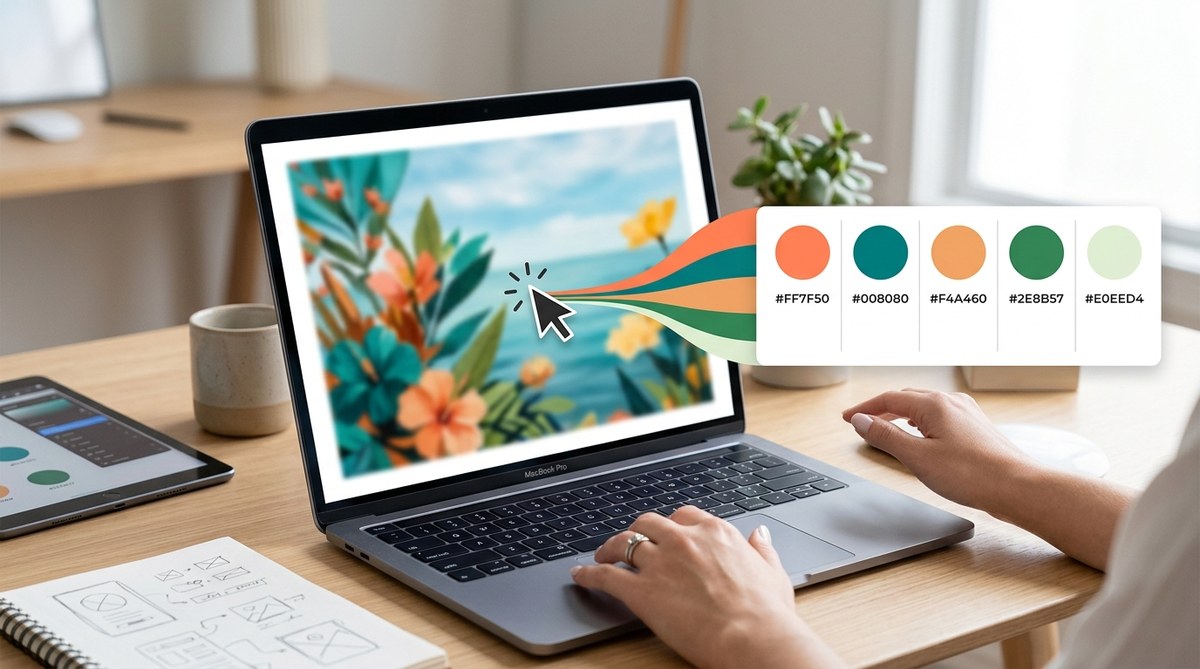
Creating a compelling color palette from an image can transform your design projects. Whether you’re working on branding, digital artwork, or personal projects, having a well-chosen set of colors makes everything pop. But finding the right combination of shades that work together feels daunting sometimes. Fortunately, there are straightforward ways to pull a beautiful, balanced palette from any photo or artwork in a matter of minutes.
Below, you’ll discover how to extract a color palette from an image naturally. These methods are practical, accessible, and tailored for creative minds eager to apply fresh colors seamlessly.
Extracting a harmonious color palette from an image is simple with the right tools and techniques. Use automatic pickers, manual sampling, or software to quickly identify dominant, accent, and background tones. This approach saves time and results in palettes that feel natural and cohesive for your projects.
Understanding the Basics of Color Extraction
Before jumping into tools and techniques, it helps to understand what makes a good palette. A natural palette often includes a mix of dominant colors, secondary shades, and accents that complement each other. Extracting these from an image involves identifying which colors stand out and how they relate to one another.
Key elements to consider:
– Dominant tones that set the overall mood
– Accent colors to highlight details
– Backgrounds or neutral shades for balance
Knowing this, you can choose methods that focus on these aspects, ensuring your palette feels authentic and useful.
Practical Steps to Extract a Color Palette from Any Image
Follow these simple steps to get a beautiful palette in minutes:
1. Choose the Right Image
Pick an image with clear colors and good contrast. High-quality photos with vibrant hues tend to produce more striking palettes. For example, a sunset scene, a product shot, or a nature photo work well. Avoid overly busy images that make it difficult to pick out key colors.
2. Use an Automated Color Picker Tool
Online tools like Adobe Color or Coolors allow you to upload an image and automatically generate a palette. These platforms analyze the image and suggest a set of harmonious colors based on algorithms. Simply upload your photo and let the tool do the work.
3. Manually Sample Colors Using Your Eyedropper Tool
Sometimes you want more control. Open your image in a basic editing program like Photoshop, GIMP, or even Canva. Use the eyedropper tool to click on areas that catch your eye. Record the hex codes or color swatches as you go. This method helps you pick out specific shades you want to emphasize.
4. Curate and Adjust Your Palette
Once you’ve gathered a handful of colors, review them. Remove any that don’t fit the overall mood or are too similar. Adjust the shades slightly if needed, aiming for balance and harmony. Many tools like Adobe Color or Coolors let you tweak colors easily to perfect your palette.
5. Save and Apply Your Palette
Save your palette as a color swatch, color palette file, or a simple list of hex codes. Use it across your designs, websites, or branding materials to create consistency. Applying the same palette to multiple elements ensures your project feels cohesive.
Techniques for Extracting Color Palettes Naturally
Different situations call for different methods. Here’s a quick comparison of techniques:
| Technique | Description | Best For | Common Mistakes |
|---|---|---|---|
| Automated palette generators | Upload an image and let the software suggest colors | Fast, beginner-friendly | Relying on a limited set of suggestions |
| Manual sampling in editing tools | Use eyedropper to select colors directly from the image | Precise control, custom selection | Picking too many similar shades, missing contrast |
| Dominant color extraction tools | Focus on the most prominent colors in an image | Identifying key tones for branding or backgrounds | Ignoring subtle but important accents |
| Color clustering algorithms | Use software that groups similar colors (like k-means) | Creating balanced, natural palettes | Over-simplification leading to dull results |
Pro tip: Combining automated tools with manual tweaking often yields the best results. Automation gives you a solid starting point, while manual adjustments help fine-tune for harmony and purpose.
Common Mistakes to Avoid
When extracting a palette, keep an eye out for these pitfalls:
| Mistake | Why it hurts your palette | How to fix it |
|---|---|---|
| Over-reliance on one color | Creates imbalance and monotony | Mix in neutral shades or accents |
| Ignoring contrast | Makes text and elements hard to read | Ensure sufficient contrast between shades |
| Picking colors that clash | Disrupts harmony | Use color harmony rules or tools like Adobe Color |
| Using too many shades | Overcomplicates the palette | Limit to 5-7 core colors for clarity |
Tips from the Experts
“Always start with a clear idea of the mood you want your palette to evoke. Use a dominant color as your anchor, then build around it with complementary shades,” advises seasoned designers. This approach ensures your palette feels intentional and balanced.
Applying Your Extracted Palette to Projects
Once you’ve crafted your perfect set of colors, it’s time to apply them. Use your palette consistently across branding, web design, social media, or artwork. Many design platforms allow you to save custom palettes, making future projects faster and more cohesive.
For digital projects, always test your palette for accessibility. Tools like Color Safe help check contrast ratios to ensure readability for all users.
Embracing the Power of Color Harmony
Remember, the goal of extracting a palette is to create harmony. Whether you aim for vibrant energy or subtle elegance, your palette should reflect your project’s essence. Don’t hesitate to experiment with shades and arrangements until everything feels right.
Your Next Masterpiece Starts With Colors
Harnessing the right method to extract a natural, pleasing color palette from any image is a valuable skill. It saves time, sparks creativity, and results in designs that truly resonate. Pick your favorite photo, choose your tool, and start sampling. With practice, you’ll develop an intuitive eye for color combinations that elevate all your projects.
Keep experimenting, and enjoy the process of turning images into inspiring color stories. Your creative journey is just a few clicks away from vibrant, cohesive results.
